Discord MCP



Connect any MCP-compatible AI to Discord. Do real community work safely. Verify complete guild builds.
Caller-owned bot · local by default · 208 typed tools · resumable guild builds with Activity Evidence.
Get a verified result · Get started · Browse 208 tools · Watch live demo · Join the community · View on npm · Documentation
Live demo
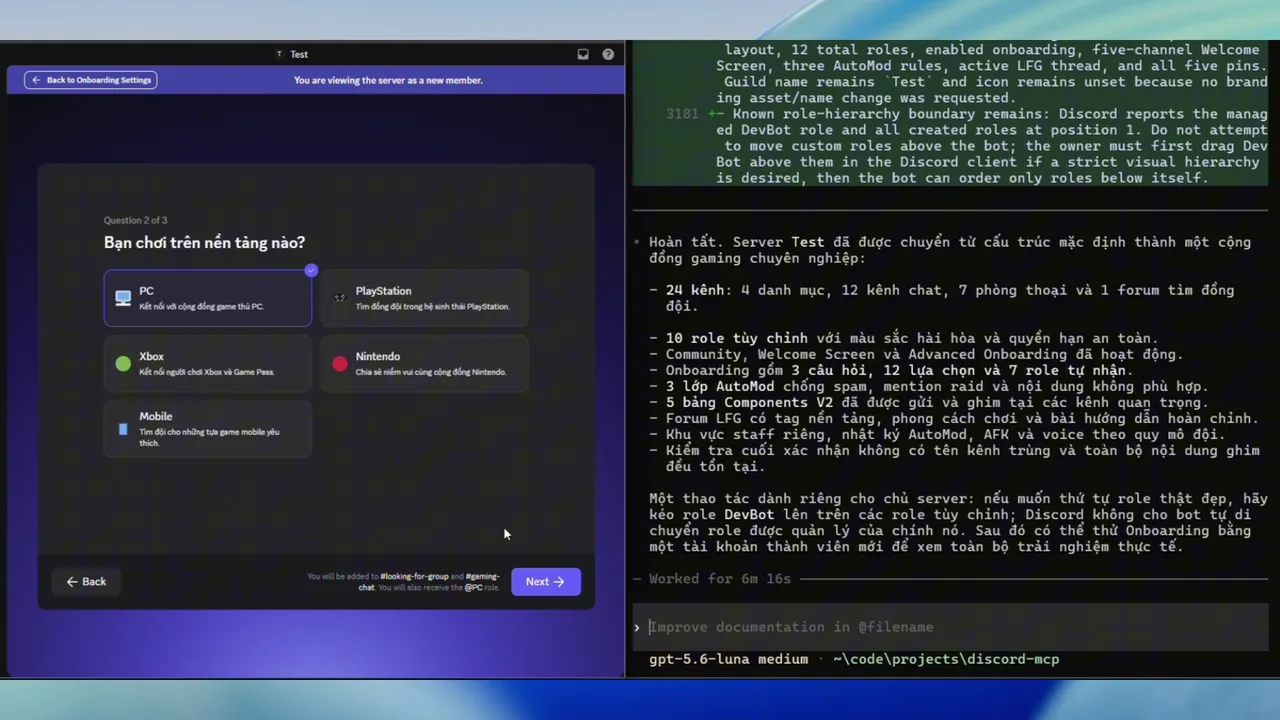
An 87-second live walkthrough of an AI agent building a complete gaming community from a fresh Discord server through its caller-owned bot. It covers channels, safe role permissions, Community, Welcome Screen, onboarding, AutoMod, Components V2 cards, and final API readback. Watch the full demo in the docs.
The current blueprint lifecycle adds a target-bound dry run, exact human approval, checkpointed resume, and authenticated Activity Evidence after final Discord readback. Complete the verified-outcome tutorial in a private test guild.
Completed it—or found the first blocker? Share a voluntary, credential-safe outcome report. discord-mcp sends no report from your installation.
If you want a shortcut after a local run, discord-mcp activity --report prints
that fixed URL without reading or exporting the journal. It does not open a browser,
access the network, prefill or submit an issue, or expose journal records. Review every
field and submit the form yourself. The local journal contains only timestamps plus
predefined command or blueprint-stage, status, outcome, transport, and signal values;
it contains no Discord IDs, names, message content, tokens, paths, or raw errors.
Community and feedback
Use GitHub Discussions for setup Q&A, recurring-workflow ideas, and redacted showcases. Start with the community welcome or watch and discuss the official live-build showcase.
Never post a bot token, authorization header, client configuration, Discord ID, private server or channel name, message content, screenshot, terminal log, plan material, evidence ID, or Activity Evidence file. Report authorization or security issues through GitHub's private advisory form.
How it works
Quick start
Requires Node.js 22.12 or later.
# Install the MCP server
npm install -g @discord-mcp/cli

# Keep the caller-owned bot token in this terminal
export DISCORD_TOKEN="Bot YOUR_DISCORD_BOT_TOKEN"

# Verify the bot, choose its real Discord server, save a non-secret profile,
# and generate a safe Codex fragment
discord-mcp setup --profile devbot --client codex

# Verify the rest of the local configuration
discord-mcp doctor --profile devbot --online

# Verify the real MCP path without changing Discord
discord-mcp smoke --profile devbot
On PowerShell, set the token before running the same setup and verification commands:
$env:DISCORD_TOKEN = "Bot YOUR_DISCORD_BOT_TOKEN"
setup supports Codex, Claude Desktop, Claude Code, Cursor, and a generic MCP client. It sends the current token only to Discord, verifies the bot identity, chooses a guild boundary, and saves a versioned local profile containing only non-secret metadata. The generated client fragment runs a pinned @discord-mcp/cli package through npx, then serve --profile devbot, so it does not depend on an absolute installation or cache path. It forwards DISCORD_TOKEN from the caller's launch environment; neither the profile nor the default Codex fragment stores the token. A profile is locked to its first verified bot ID, so --force cannot silently reassign it to another bot. Use profile list, profile show, and profile remove for lifecycle management. The older init command remains available as a stateless snippet generator. See the installation guide for non-interactive and client-specific setup.
For MCP clients that do not natively defer large tool catalogs, set
MCP_TOOL_SURFACE=progressive. The model initially receives only
the direct Discord-non-mutating build_discord_server architecture front door when
authorized, its direct guild_blueprint_apply and guild_blueprint_evidence
completion steps, plus mcp_tools_search and read, write, and destructive
dispatchers. Other tools load as compact matches on demand. A single match
already includes its schema; for multiple matches, search the selected tool's
exact name before dispatch, or use detail: "full" when several contracts are
needed together. The result chooses the dispatcher whose annotations match the
selected tool's risk.
MCP_CATEGORIES remains the authorization boundary; progressive mode does not
bypass confirmation, dry-run, audit, or other middleware.
Set ALLOWED_GUILDS to a comma-separated list of server IDs to enforce the
bot's guild boundary inside discord-mcp. Direct guild calls use a constant-time
check; channel, thread, webhook, invite, and guild-sticker routes are resolved
before execution and cached. Global writes and opaque interaction-token routes
that cannot prove a guild are unavailable while the allowlist is active. The
resolution caches are bounded to prevent untrusted ID churn from growing memory
without limit.
users_list_current_user_guilds remains a read-only discovery tool; seeing a
guild in that result does not authorize operations against it.
To run without a global install:
npx -y @discord-mcp/cli init --client cursor
Remote OpenAI / Codex MCP
For the OpenAI Responses API or Codex, run a bearer-protected Streamable HTTP endpoint and place it behind an HTTPS reverse proxy:
export DISCORD_TOKEN="Bot YOUR_DISCORD_BOT_TOKEN"
export DISCORD_MCP_ACCESS_TOKEN="replace-with-a-long-random-secret"
discord-mcp serve --http --host 127.0.0.1 --port 3000
The endpoint is /mcp; send Authorization: Bearer <DISCORD_MCP_ACCESS_TOKEN>.
It negotiates stable MCP 2026-07-28 while retaining stateless compatibility
for 2025-era Streamable HTTP clients. Every authenticated client shares the
deployment's caller-owned Discord bot identity, so use least-privilege Discord
roles plus narrow ALLOWED_GUILDS and MCP_CATEGORIES allowlists. The
OpenAI remote MCP guide
covers HTTPS, the default 4 MiB body and 16-request in-flight ceilings,
Responses API tool_search/defer_loading, Codex progressive discovery, and
the current OAuth boundary.
What you get
| Area | Examples |
|---|---|
| Messages and channels | Send, edit, pin, search, manage threads, forums, and permissions |
| Moderation and safety | Permission preflight, channel role audits, role hierarchy, bans, AutoMod, bulk actions, and audit-aware operations |
| Community operations | Members, roles, invites, onboarding, events, polls, soundboard, and voice |
| Application APIs | Slash commands, interactions, application emojis, webhooks, and entitlements |
| Agent workflows | Tool output schemas, predictable errors, migration adapters, and client config generation |
Explore the complete, generated tool reference and practical recipes.
For a server-architecture request, call the directly advertised
build_discord_server front door when MCP_TOOL_SURFACE=progressive; on the full surface,
call its canonical name, guild_blueprint_plan, with one natural-language request.
The progressive alias and canonical tool use the same safety-checked planner and return the same
target-bound dry-run contract.
Request-only target resolution requires the selected caller profile to lock one
DISCORD_EXPECTED_BOT_ID and an ALLOWED_GUILDS boundary. The planner uses
DISCORD_DEFAULT_GUILD_ID only when that default is itself allowlisted; otherwise it resolves
the guild only when exactly one allowlisted guild exists. A multi-guild profile without an
allowlisted default requires an explicit guild_id and is never guessed. It selects one
verified primary template plus 0–3 bounded inspirations, compiles regenerated permissions,
onboarding, AutoMod, and Components V2 content,
then returns a target-bound dry-run. Review its operations and approval_id; only then pass the
unchanged caller-local plan_ref and returned target IDs to guild_blueprint_apply with __confirm:true.
The legacy self-contained plan_token remains available for compatible or portable clients. Apply is
locally checkpointed after every successful step, reconciled at each call or resume, independently
read back at completion, and never deletes an existing resource. A completed approval is
single-use: later drift requires a fresh plan. A terminal result persists authenticated Activity
Evidence and returns its ID, blueprint policy invariants, and final live-readback record. Later—even after a restart—call
guild_blueprint_evidence with only the same guild_id, expected_bot_id, and plan_id to
revalidate the current guild without a plan token, confirmation flag, or Discord mutation.
guild_blueprint_compile remains the lower-level read-only compiler, while
templates_recommend returns only the verified source portfolio. Source IDs, permissions,
overwrites, names, and descriptions never enter the trusted blueprint. See the
safe blueprint workflow.
Community servers can contain a Discord-protected singleton AutoMod rule that cannot be deleted.
The reconciler reuses it only when its immutable trigger is unique and creator_id is the exact
caller-owned bot; foreign-owned or ambiguous rules block the plan without mutation.
Built for production use
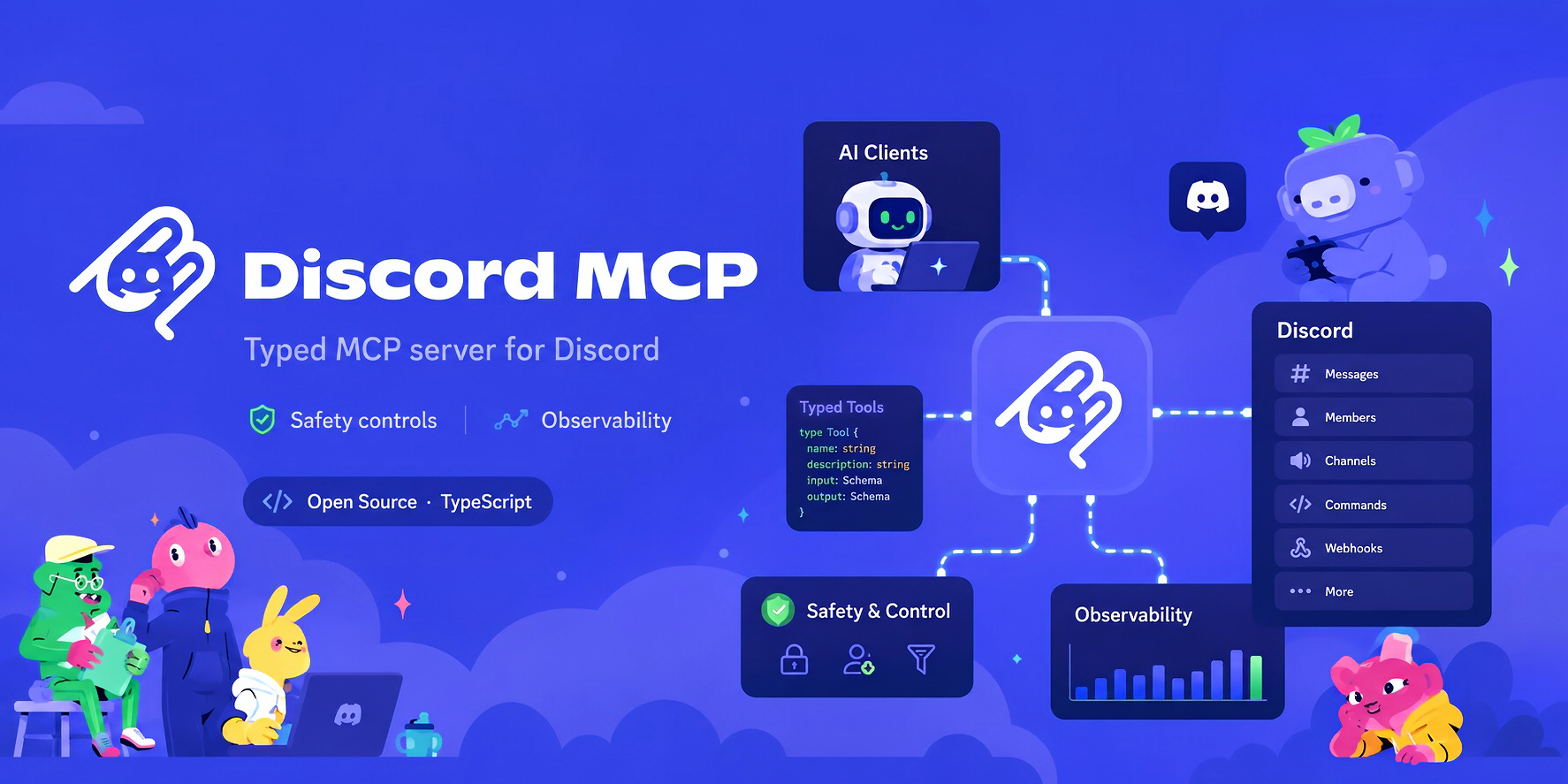
- Safety controls - destructive operations require explicit confirmation; guild and category allowlists constrain the bot's blast radius server-side.
- Reliable Discord access - retries, timeouts, rate-limit handling, and circuit breaking protect agent workflows from transient API failures.
- Observability - OpenTelemetry traces and metrics, structured logs, and audit events make operations inspectable.
- Typed contracts - every tool is schema-defined; public core exports, CLI flags, configuration variables, and tool metadata are regression-tested.
- Supply-chain evidence - npm releases are published from GitHub Actions with signed SLSA provenance.
Read the architecture, operations guides, and v1.0 readiness plan for implementation details and current stability commitments.
Commands
| Command | Purpose |
|---|---|
discord-mcp serve | Start the local stdio MCP server (default), or serve --http for a bearer-protected Streamable HTTP endpoint. |
discord-mcp catalog | Expose all 208 real tool schemas without a token; every tool call fails closed with CATALOG_ONLY. |
discord-mcp catalog --check [--json] | Check the real local MCP catalog contract without a token, Discord request, or Discord write. This is catalog validation only—not Activity Evidence. |
discord-mcp setup | Verify one caller-owned bot, save a non-secret profile, and generate its client configuration. |
discord-mcp activity [--report] | Show the local, privacy-safe evidence journal; --report prints the optional GitHub outcome-form URL. |
discord-mcp update | Check a generated Codex launcher for a newer release; apply it only with explicit --apply. |
discord-mcp profile | List, inspect, or remove local non-secret bot profiles. |
discord-mcp init | Generate a stateless MCP client configuration snippet. |
discord-mcp doctor | Check Node.js, token format, environment, audit configuration, optional network connectivity, and a saved Codex launcher's update status. |
discord-mcp smoke | Verify the MCP-to-Discord path; add --confirm-write for a self-cleaning CRUD test, or --confirm-template-lifecycle to prove Guild Template inspect/diff/sync/delete and cleanup. |
discord-mcp migrate | Create a migration report from a supported Discord MCP setup. |
Run discord-mcp --help or see the full CLI reference for flags and examples.
Registry-safe schema discovery
discord-mcp catalog is a credential-free stdio server for MCP directories,
security review, and contract inspection. It advertises the same 208 schemas as
the full server, never reads a bot token, never contacts Discord, and returns
CATALOG_ONLY for every tools/call. It is not an operational Discord server;
use discord-mcp serve with your caller-owned bot when an AI agent should act.
To validate that the installed package exposes the real catalog contract, run:
discord-mcp catalog --check
discord-mcp catalog --check --json
catalog --check is intentionally credential-free and local: it needs no Discord
token, does not read DISCORD_TOKEN, performs no Discord request or write (and no
other network request), and does not count as Activity Evidence. A successful check
only proves catalog discovery; continue to set up a caller-owned bot
to reach the first verified Discord outcome.
With --json, the result uses schema discord-mcp.catalog-check.v1 and reports the
expected 208 tools, 6 static resources, execution_guard: "CATALOG_ONLY",
credentials_required: false, discord_execution: "disabled", and
activity_evidence_created: false. It proves the installed catalog contract only;
it does not prove that an AI host or a live Discord connection is configured.
The repository's root Dockerfile intentionally defaults to this catalog-only
mode so automated registry scanners can inspect the project safely. Images built
from source can explicitly run serve instead, but the caller must supply their
own DISCORD_TOKEN and safety configuration.
Packages
| Package | Use it when |
|---|---|
| @discord-mcp/cli | You want to run Discord MCP from an AI client or terminal. |
| @discord-mcp/core | You are building an integration on the typed Discord MCP tool and server primitives. |
The CLI runs on macOS, Linux, and Windows. Its executable is always discord-mcp.
Migrate an existing setup
discord-mcp includes migration adapters for established community projects, including PaSympa, quadslab, and discord-ops. Start with:
discord-mcp migrate --list
Then use discord-mcp migrate --from <adapter> --source <path> to generate a tool-by-tool mapping report. The migration guides explain each adapter and its limits.
Develop locally
pnpm install
pnpm build
pnpm test
The repository is a pnpm workspace. For a real Discord smoke test, set DISCORD_TOKEN and run node packages/mcp-server/dist/cli.js; the MCP Inspector is useful for verifying tools/list interactively.
Project status
discord-mcp is pre-1.0. This source tree targets v0.23.0. Its core exports, CLI surface, environment schema, and 208-tool registry are covered by contract tests; publication is gated on independently verified real-server evidence appropriate to the exact tag commit. See the GitHub releases, changelog, and v1.0 readiness checklist before depending on an unstable surface.
Help validate v1.0: if you have not authored discord-mcp or its documentation, follow the external documentation review using only the public docs and package, then submit a structured report. Use a caller-owned bot in a private test server. Never include a bot token, client configuration, webhook credential, or unredacted Discord identifier in the report.