Alluminate
Two AI agent skills that turn an Allium specification into rich, static HTML documentation, for two different readers:
| Skill | Reader | Shape |
|---|---|---|
| alluminate | Someone who wants the precise rules underneath | A structural reference mirroring the spec's own constructs — executive summary, entity/rule/config/surface tables, transition and relationship diagrams, per-surface wireframes, validation findings inlined against the exact behaviour they concern |
| narrate | Someone who owns, builds, or uses the system | A narrative walkthrough — rationale grounded in the project's own recorded decisions, an end-to-end story of the system's behaviour illustrated with mockups and diagrams built strictly from what the spec declares, a closing list of what's still unsettled |
Both are read-only with respect to the spec, and both work with any AI coding assistant that supports the emerging skills convention (Claude Code, Cursor, Windsurf, GitHub Copilot, Gemini, and others).
Example
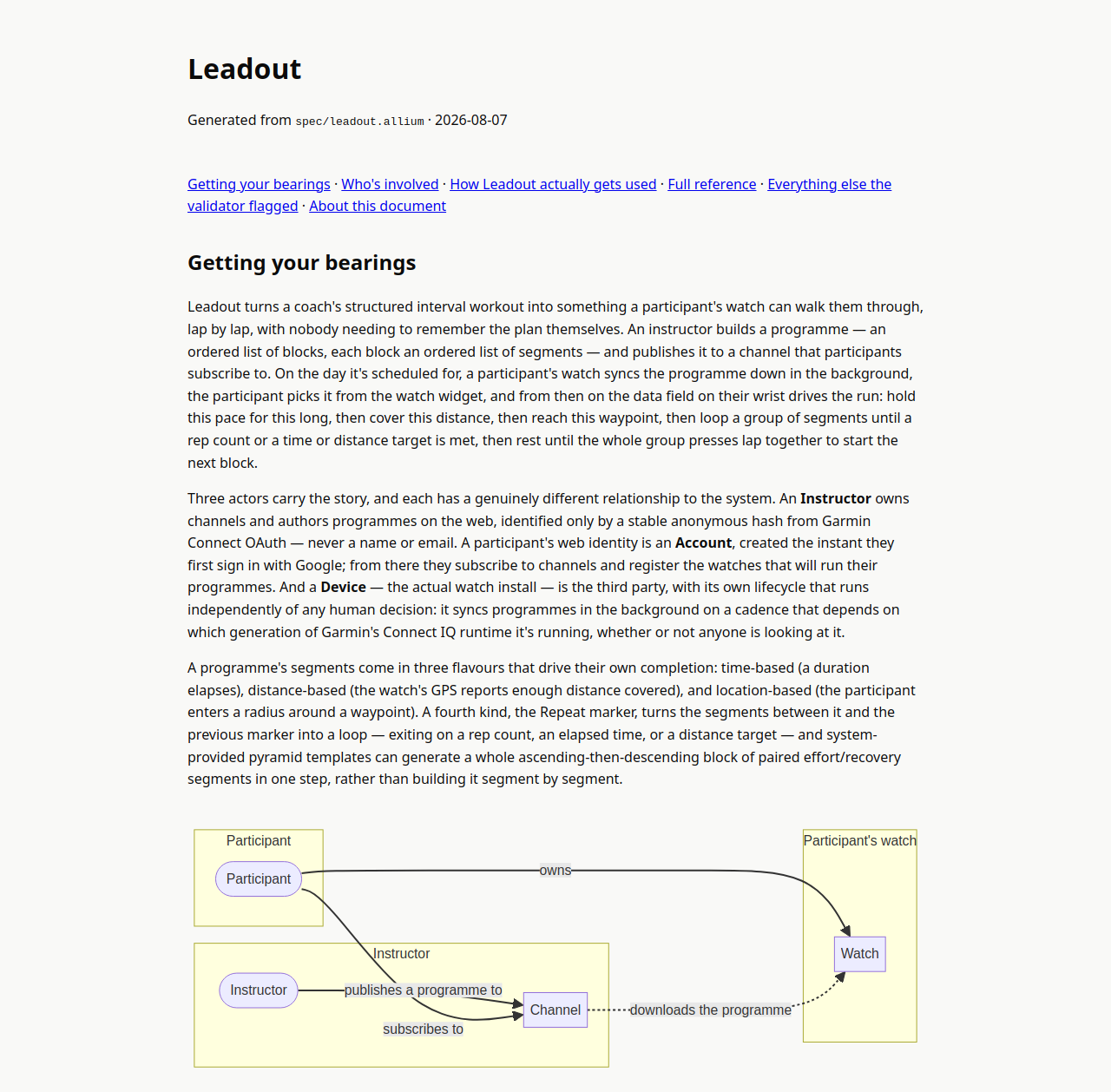
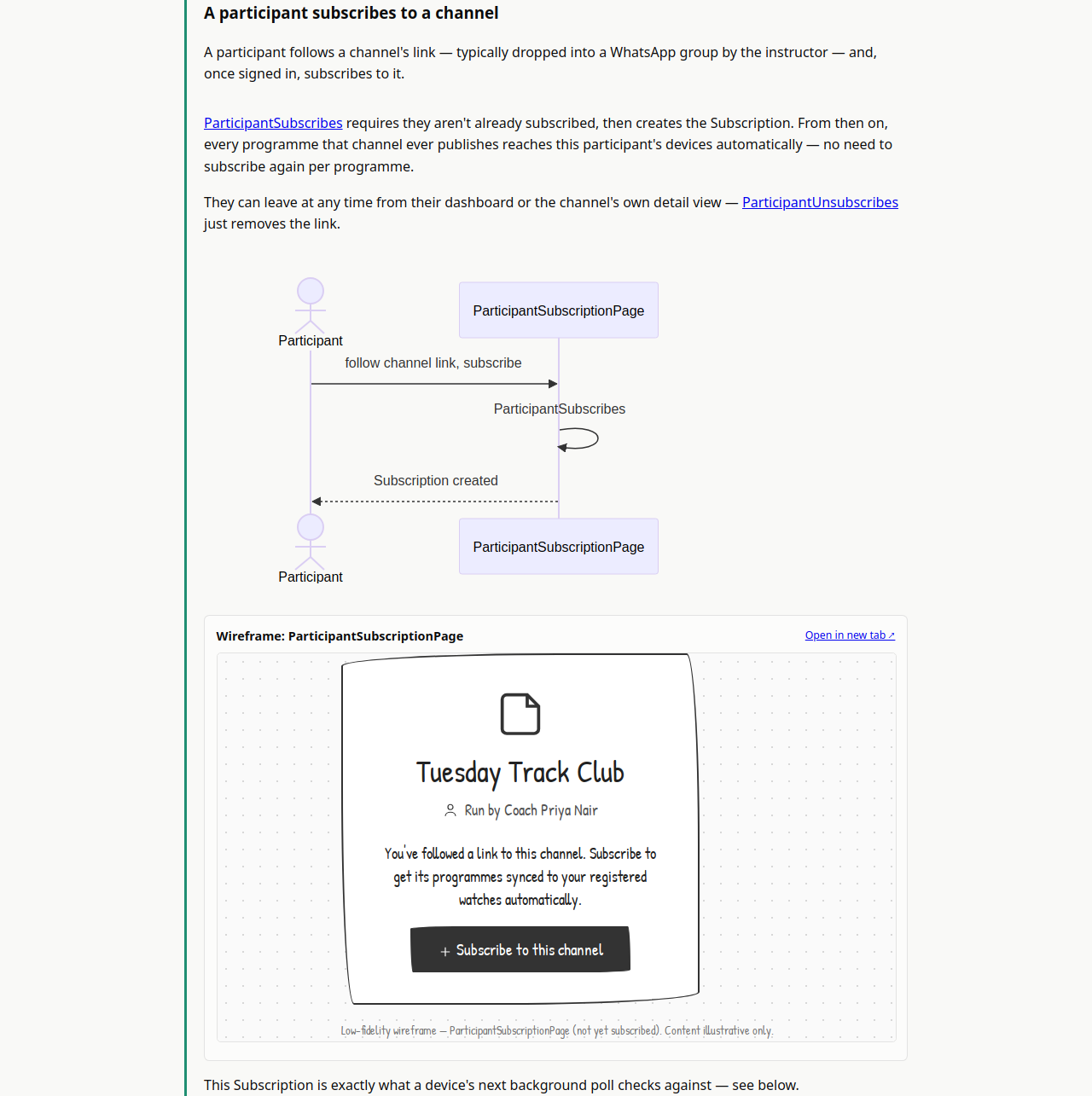
See a real generated document ↗ — alluminate run against Leadout, a spec for a structured-running-workout app.
What they produce
Given a .allium spec, each skill generates a self-contained static page:
docs/alluminate/<spec-name>/index.html
docs/alluminate/<spec-name>/mockups/<surface-name>/index.html   (one per surface, alluminate only)
docs/narrate/<spec-name>/index.html
A static file you can open directly, commit to your repo, or publish (e.g. via GitHub Pages, since docs/ is its default serving directory). narrate also publishes as a Claude Artifact where available, for an immediate shareable preview alongside the repo copy.
Installation
Any agent — recommended
npx skills add oliyh/alluminate
Claude Code (plugin)
/plugin marketplace add oliyh/alluminate
/plugin install alluminate@alluminate
Manual install
Copy the contents of skills/alluminate/SKILL.md and/or skills/narrate/SKILL.md into your AI instruction file:
| Tool | File |
|---|---|
| Cursor | .cursorrules |
| Windsurf | .windsurfrules |
| Gemini | gemini.md |
| GitHub Copilot | .github/copilot-instructions.md |
| Any agent | agents.md |
Prerequisites
- An Allium spec (
.alliumfile) — see juxt.github.io/allium if you don't have one yet. - The
alliumCLI — optional, but richer output with it.brew install alliumorcargo install allium-cli. allium-diagram— optional, for alluminate's embedded transition/relationship diagrams.- Wireframer — optional, for alluminate's per-surface wireframe mockups.
npx skills add agilek/wireframer-skill. Narrate does not use Wireframer — see itsSKILL.mdfor why. - A decision record (an ADR directory, or a "Decisions"/"ADRs" section in the project's own
CLAUDE.md/README.md) — optional, but narrate's Rationale section is much stronger with one to draw on.
Both skills degrade gracefully without any of these — they produce a plainer document and say so once, near the top. Only a missing spec file is a hard stop.
Usage
Alluminate the spec at spec/orders.allium
Narrate the spec at spec/orders.allium
or just describe the intent ("generate a human-readable doc from this spec", "give me an onboarding walkthrough of this system", "document this spec as HTML") — each skill's description is written to route on intent, not just its literal name.
How they work
- alluminate — see
skills/alluminate/SKILL.mdfor the full six-phase pipeline: gather structured data fromallium check/model/plan/analyseandallium-diagram, render the mechanical entity/rule/config tables with a small deterministic script (scripts/render-tables.mjs), attach validation findings inline against the exact construct they concern (seediagnostic-attribution.md), generate wireframe mockups via Wireframer (seewireframer-integration.md), and assemble into one themed, light/dark-aware static page (seehtml-structure.md). - narrate — see
skills/narrate/SKILL.md: source a rationale from the project's own recorded decisions (seerationale-and-voice.md), draft an end-to-end journey through the system's behaviour, and hand-build every mockup and diagram strictly from what each surface declares — seegrounding.md, the most important reference in this repo if you're extending either skill.
Limitations
- alluminate's diagrams and mockups render via CDN-hosted assets (Mermaid.js,
wired-elements, Google Fonts) — the generated document needs internet access to fully render. Vendoring for offline use is out of scope for now. allium check/allium analyseoutput format varies by version; alluminate's diagnostic-attribution mechanism is built to degrade to line-based matching if structured fields aren't present.- Modular specs (
use "..." as x) are documented only for their own declarations — qualified references from imported specs aren't expanded.
License
MIT