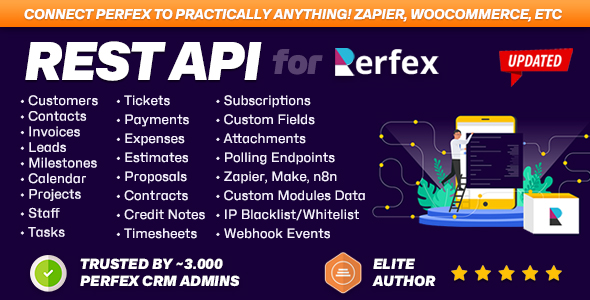
Perfex CRM REST API — Examples, Postman Collection & Code Snippets
🌐 English · 简体中文 · Español · Português (BR) · Italiano · Français · Deutsch · Türkçe · Tiếng Việt · ไทย · العربية
Ready-to-use Postman collection, code snippets (cURL, PHP, Python, JavaScript) and a resource catalogue for the REST API module for Perfex CRM — the fastest way to connect Perfex CRM with AI agents and third-party applications.




The Perfex CRM REST API lets you read and write customers, leads, invoices, estimates, projects, tasks and more over a clean HTTP/JSON interface — perfect for CRM integration, automation and custom apps. v3.0 adds an MCP server for AI agents, production-grade webhooks, ready-made Zapier / Make / n8n polling, batch operations and smarter list endpoints. This repository is the practical companion to the REST API for Perfex CRM module by Themesic Interactive: copy-paste examples, an importable Postman collection, and a full endpoint catalogue.
-
🧩 Get the module: https://themesic.com/product/rest-api-module-for-perfex-crm-connect-your-perfex-crm-with-third-party-applications/
-
📖 API guide / live docs: https://perfexcrm.themesic.com/apiguide/
-
🧾 OpenAPI 3.0 spec:
GET https://yourdomain.com/api/openapi(reference copy)
🚀 What's new in v3.0
| Feature | Endpoint | What it does |
|---|---|---|
| 🤖 MCP server | POST /api/mcp | Model Context Protocol (JSON-RPC 2.0) — exposes 148 permission-filtered CRM tools to Claude Desktop, ChatGPT, Cursor, n8n AI Agent and any MCP client |
| 🪝 Webhooks 2.0 | /api/webhooks | 124 events, REST management, async delivery with retries, SSRF protection, HMAC-signed requests |
| 🔌 Automation (polling) | /api/zapier/* | Ready-made polling triggers for Zapier, Make.com, n8n and any polling-based tool |
| ⚡ Batch | POST /api/batch | Up to 50 operations in one request (same tool names as MCP) |
| 📚 Knowledge Base | /api/knowledge_base | Articles + groups CRUD |
| 🗒️ Notes | /api/notes | Polymorphic notes across 12 entity types |
| 📄 Smarter lists | any list endpoint | Opt-in ?page=&per_page=, ?fields=, ?sort=, ?created_after=&created_before= |
| 🛡️ Safe writes | any POST | Idempotency-Key replay, ignored-unknown-fields on PUT, X-RateLimit-* headers |
| 📐 OpenAPI 3.0 spec | GET /api/openapi | The whole surface as one machine-readable document - 74 paths, 144 operations - import into Postman, Insomnia or Stoplight in seconds (reference copy in openapi/) |
Everything is opt-in and backwards-compatible: requests without the new parameters return the exact same response as before.
Contents
| Folder | What's inside |
|---|---|
postman/ | Importable Postman collection + environment ({{base_url}}, {{authtoken}}) — now with MCP, Webhooks, Batch, Automation, Knowledge Base & Notes |
snippets/curl/ | Copy-paste curl commands for the most common calls |
snippets/php/ | PHP (cURL) examples |
snippets/python/ | Python (requests) examples |
snippets/javascript/ | JavaScript / Node (fetch) examples |
docs/ | Authentication, pagination & filtering, webhooks, MCP, automation, custom tables, errors & status codes |
Each snippet language has examples for customers, invoices, leads plus the v3 features webhooks, mcp, batch, automation, knowledge_base and notes, and a list_features file showing pagination, field selection and sorting.
Quick start
Every request to the Perfex CRM REST API is authenticated with the Authtoken header. Create a token
in your Perfex admin under API → API Management (after activating the
REST API module),
then call the API at https://yourdomain.com/api/...:
curl -H "authtoken: YOUR_API_TOKEN" https://yourdomain.com/api/customers
That returns the list of customers as JSON. See docs/authentication.md for
header vs. query-parameter auth, and snippets/ for the same call in PHP, Python and JavaScript.
Use the Postman collection
- Open Postman → Import → drop in
postman/perfex-rest-api.postman_collection.json. - Import the environment
postman/perfex-rest-api.postman_environment.json. - Set
base_urltohttps://yourdomain.com/apiandauthtokento your token. - Pick any request and hit Send.
Connect an AI agent (MCP)
Point any MCP client (Claude Desktop, Cursor, ChatGPT, n8n AI Agent) at POST https://yourdomain.com/api/mcp
and send your authtoken header. The server advertises permission-filtered tools for your CRM. See
docs/mcp.md and snippets/curl/mcp.sh.
Endpoint catalogue
All CRUD endpoints follow a RESTful convention: GET list, GET /:id single, POST create,
PUT /:id update, DELETE /:id delete — under the base path https://yourdomain.com/api.
Core CRM resources
| Resource | Base path | Typical operations |
|---|---|---|
| Customers | /api/customers | list, get, create, update, delete |
| Contacts | /api/contacts | list, get, create, update, delete |
| Leads | /api/leads | list, get, create, update, delete |
| Invoices | /api/invoices | list, get, create, update, delete |
| Estimates | /api/estimates | list, get, create, update, delete |
| Credit Notes | /api/credit_notes | list, get, create, update |
| Payments | /api/payments | list, get, create |
| Proposals | /api/proposals | list, get, create, update, delete |
| Contracts | /api/contracts | list, get, create, update, delete |
| Projects | /api/projects | list, get, create, update, delete |
| Tasks | /api/tasks | list, get, create, update, delete |
| Milestones | /api/milestones | list, get, create, update, delete |
| Timesheets | /api/timesheets | list, get, create, update, delete |
| Subscriptions | /api/subscriptions | list, get, create, update |
| Items | /api/items | list, get, create, update, delete |
| Expenses | /api/expenses | list, get, create, update, delete |
| Staff | /api/staffs | list, get, create, update, delete |
| Calendar | /api/calendar | list, get, create, update, delete |
| Custom Fields | /api/custom_fields | list per related type |
| Common (lookups) | /api/common | countries, taxes, currencies, statuses … |
v3 platform & extra resources
| Resource | Base path | Typical operations |
|---|---|---|
| MCP server | /api/mcp | POST JSON-RPC 2.0: initialize, tools/list, tools/call |
| Batch | /api/batch | POST up to 50 operations in one request |
| Webhooks | /api/webhooks | list, get, create, update, delete, POST /:id/toggle, GET /events, GET /:id/logs |
| Automation (polling) | /api/zapier | GET /resources, GET /poll/:resource, GET /test/:resource |
| Knowledge Base | /api/knowledge_base | list, get, create, update, delete; /groups |
| Notes | /api/notes | list by :rel_type/:rel_id, get, create, update, delete |
The exact request fields per resource are documented in the official API guide. The snippets here cover the most common flows.
Smarter list endpoints (v3)
Every list endpoint accepts optional query parameters. Add them and you get a { data, meta } envelope;
omit them and you get the exact legacy array.
# Page 2, 20 per page, only id + company, newest first, created this year
curl -H "authtoken: YOUR_API_TOKEN" \
  "https://yourdomain.com/api/customers?page=2&per_page=20&fields=id,company&sort=-datecreated&created_after=2026-01-01"
| Parameter | Example | Effect |
|---|---|---|
page, per_page | ?page=2&per_page=20 | Pagination → { data, meta } |
fields | ?fields=id,company | Return only these columns |
sort | ?sort=-datecreated,company | Sort (- = descending) |
created_after, created_before | ?created_after=2026-01-01 | Date-range filter |
per_pageis the parameter that sizes a page (1-100, default 25).limitis accepted as an alias only whenpageis sent too, so a bare?limit=5does not paginate - use?page=1&per_page=5.
See docs/pagination-filtering.md and
snippets/curl/list_features.sh.
Upgrading from 2.x
There are no breaking changes. Every v3 list feature is opt-in:
- Send none of the parameters above and you get the same plain array 2.x returned. The
{ data, meta }envelope appears only when you sendpageorper_page. - No endpoint was renamed. Customers have always been at
/api/customers. - Unknown fields on
PUTare ignored instead of returning an error. POSTrequests accept an optionalIdempotency-Keyheader; identical retries replay the stored response rather than creating duplicates.
Two things worth knowing when adopting v3:
- Custom tables moved behind an allowlist in 3.0.2 - see
docs/custom-tables.md. - New permission rows (Webhooks, Notes, Knowledge Base) must be ticked on existing tokens before
those endpoints answer, and before their MCP tools appear in
tools/list.
Popular integrations & use cases
The Perfex CRM REST API is commonly used to connect Perfex CRM with AI agents and third-party applications:
- AI assistants (MCP) — let Claude, ChatGPT or Cursor read and update your CRM through
/api/mcp. - Zapier / Make / n8n — no-code automation via ready-made polling triggers (
/api/zapier/*). - Webhooks — push Perfex events (new invoice, new lead, 124 events) to Slack, Discord or your own backend, signed with HMAC.
- Google Sheets / Power Automate — sync customers, invoices or payments to spreadsheets and dashboards.
- Custom apps & portals — build a mobile app or customer portal on top of your Perfex data.
- Accounting & e-commerce — sync invoices and items with external billing or shop platforms.
All of these are powered by the REST API for Perfex CRM module.
Authentication (summary)
| Method | How |
|---|---|
| Header (recommended) | Authtoken: YOUR_API_TOKEN |
| Query parameter | ?authtoken=YOUR_API_TOKEN (handy for quick tests / webhooks) |
Tokens are created and scoped (per-resource permissions) in API → API Management. Full details in
docs/authentication.md.
FAQ
Does Perfex CRM have a REST API? Yes. The REST API for Perfex CRM module adds a full RESTful HTTP/JSON API for customers, leads, invoices, estimates, projects, tasks and more, plus a v3 MCP server, webhooks, batch and automation endpoints.
Can I use Perfex CRM with AI agents / ChatGPT / Claude?
Yes — v3 ships an MCP server at POST /api/mcp that exposes permission-filtered CRM tools to any
Model Context Protocol client. See docs/mcp.md.
How do I authenticate with the Perfex CRM API?
Send your token in the Authtoken HTTP header (or as an ?authtoken= query parameter). See
docs/authentication.md.
What is the base URL of the Perfex CRM API?
https://yourdomain.com/api — for example https://yourdomain.com/api/customers.
Can I connect Perfex CRM to Zapier, Make or n8n?
Yes — v3 has ready-made polling triggers under /api/zapier/*, plus webhooks. See
Popular integrations and docs/automation.md.
Is there a Postman collection for Perfex CRM?
Yes — import postman/perfex-rest-api.postman_collection.json
and the bundled environment, set your base_url and authtoken, and start sending requests.
How do I create an invoice via the Perfex CRM API?
POST https://yourdomain.com/api/invoices with the invoice fields and an items[] array — v3 auto-calculates
subtotal/total. See snippets/curl/invoices.sh.
About / Support

This repository is an examples companion to the commercial module:
REST API for Perfex CRM — connect your Perfex CRM with third-party applications by Themesic Interactive.
- 🛒 Buy / learn more: https://themesic.com/product/rest-api-module-for-perfex-crm-connect-your-perfex-crm-with-third-party-applications/
- 📖 Documentation: https://perfexcrm.themesic.com/apiguide/
- 💬 Support: https://themesic.com/support
Contributions of additional examples are welcome — see CONTRIBUTING.md.
License
Example code in this repository is released under the MIT License. "Perfex" is a trademark of its respective owner; the REST API module is a commercial product by Themesic Interactive.