figma-mcp-go
Figma MCP — Local Plugin Integration 


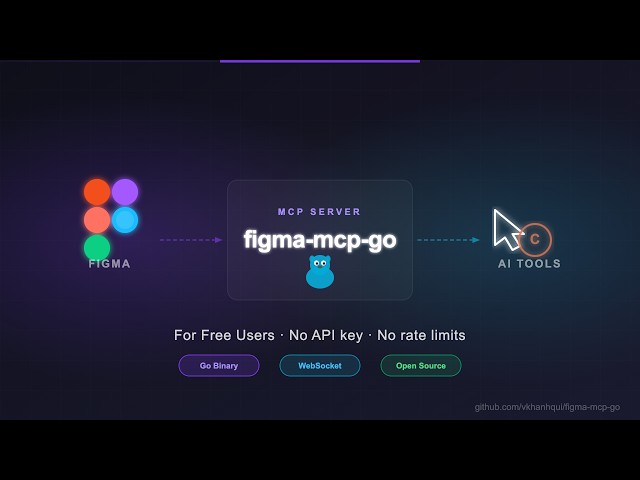
Open-source Figma MCP server with full read/write access via plugin. Turn text into designs and designs into real code. Works with Cursor, Claude, GitHub Copilot, and any MCP-compatible AI tool.
Highlights
- Operates locally via the Figma Plugin API (no REST API token required)
- Real-time execution directly on your local machine
- Read and Write live Figma data via plugin bridge — 63 tools total
- Full design automation — styles, variables, components, prototypes, content, and transactional batch pipelines
- Design strategies included — read_design_strategy, design_strategy, and more prompts built in
Styles, Variables, Components, Prototypes, and Content
https://github.com/user-attachments/assets/eae41471-fc72-4574-8261-4f42c38b8c99
Text to Design, Design to Code
https://github.com/user-attachments/assets/17bda971-0e83-4f18-8758-8ac2b8dcba62
Why this exists
Most Figma MCP servers rely on the cloud-based Figma REST API.
While the REST API is excellent for server-to-server integrations, experimenting with AI tools often involves making hundreds of rapid tool calls per session. A cloud-based approach can introduce network latency and overhead.
This project takes a different approach by running as a local Figma Plugin. By bridging directly to the Figma Plugin API on your desktop, it provides instant, real-time read/write access to your active documents without relying on external cloud APIs or requiring an API token.
Installation & Setup
Install via npx — no build step required. Watch the setup video or follow the steps below.
1. Configure your AI tool
Claude Code CLI
claude mcp add -s project figma-mcp-go -- npx -y @tunglt1810/figma-mcp-go@latest
Codex CLI
codex mcp add figma-mcp-go -- npx -y @tunglt1810/figma-mcp-go@latest
.mcp.json (Claude and other MCP-compatible tools)
{
  "mcpServers": {
    "figma-mcp-go": {
      "command": "npx",
      "args": ["-y", "@tunglt1810/figma-mcp-go"]
    }
  }
}
.vscode/mcp.json (Cursor / VS Code / GitHub Copilot)
{
  "servers": {
    "figma-mcp-go": {
      "type": "stdio",
      "command": "npx",
      "args": [
        "-y",
        "@tunglt1810/figma-mcp-go"
      ]
    }
  }
}
2. Install the Figma plugin
- In Figma Desktop: Plugins → Development → Import plugin from manifest
- Select
manifest.jsonfrom the plugin.zip - Run the plugin inside any Figma file
3. Running more than one AI tool at once (optional)
Every MCP client starts its own copy of the server, but only one process can hold the plugin connection on a given port. There are two ways to share, and they do different things.
Same Figma file, no configuration. Leave the default config everywhere. The first process to bind port 1994 owns the WebSocket to the plugin; the others detect the port is taken and proxy their tool calls to it over HTTP. Every client drives the one file the plugin is open in. If the process holding the port exits, another takes over within a few seconds.
Different Figma files, one port each. Give each client its own port and point a separate plugin instance at it:
{
  "mcpServers": {
    "figma-mcp-go": {
      "command": "npx",
      "args": ["-y", "@tunglt1810/figma-mcp-go", "--port", "1995"]
    }
  }
}
Then open the plugin in the second Figma file and set the port to match under the settings gear. Each client now talks to its own file, with no proxying.
Note that the plugin stores host and port in figma.clientStorage, which is
shared across files — changing the port makes it the default the next time you
open the plugin anywhere, so expect to set it on whichever instance should use
1994.
--ip moves the listener off 127.0.0.1 (use 0.0.0.0 to accept connections
from another machine).
Upgrading
Re-download the plugin when you update the server. The server updates itself
through npx, but the Figma plugin is installed by hand, so the two can drift
apart. A plugin older than the server will reject commands it does not know with
Unknown request type.
Breaking changes in 0.1.0
Eight single-purpose tools were replaced by one. Each took nodeIds plus a
single property, and they are now combinations of set_node_properties:
| Removed | Replacement |
|---|---|
set_visible | set_node_properties({ nodeIds, visible }) |
lock_nodes / unlock_nodes | set_node_properties({ nodeIds, locked }) |
set_opacity | set_node_properties({ nodeIds, opacity }) |
rotate_nodes | set_node_properties({ nodeIds, rotation }) |
set_blend_mode | set_node_properties({ nodeIds, blendMode }) |
set_constraints | set_node_properties({ nodeIds, constraints: { horizontal, vertical } }) |
reorder_nodes | set_node_properties({ nodeIds, order }) |
Properties can be combined, so what used to take several calls and several undo entries now takes one of each.
Eighteen more tools were merged into four, each selecting between the old tools with one argument. An argument belonging to a different variant is rejected with a message naming it, rather than being ignored:
| Removed | Replacement |
|---|---|
create_frame | create_node({ type: "FRAME", … }) |
create_rectangle | create_node({ type: "RECTANGLE", … }) |
create_ellipse | create_node({ type: "ELLIPSE", … }) |
create_star | create_node({ type: "STAR", … }) |
create_polygon | create_node({ type: "POLYGON", … }) |
create_line | create_node({ type: "LINE", … }) |
create_section | create_node({ type: "SECTION", … }) |
set_fills | set_paint({ type: "SOLID", color }) |
set_strokes | set_paint({ type: "SOLID", target: "stroke", color, strokeWeight }) |
set_gradient_fills | set_paint({ type: "GRADIENT_LINEAR" | "GRADIENT_RADIAL", stops, geometry }) |
create_paint_style | create_style({ type: "PAINT", name, color }) |
create_text_style | create_style({ type: "TEXT", name, … }) |
create_effect_style | create_style({ type: "EFFECT", name, effectType, … }) |
create_grid_style | create_style({ type: "GRID", name, … }) |
add_page | manage_page({ action: "add", name, index }) |
delete_page | manage_page({ action: "delete", pageId | pageName }) |
rename_page | manage_page({ action: "rename", pageId | pageName, newName }) |
navigate_to_page | manage_page({ action: "navigate", pageId | pageName }) |
Two things changed behaviour rather than just name. create_node({type:"ELLIPSE"})
honours startAngle, endAngle and innerRadiusRatio, which create_ellipse
declared but ignored — arcs and rings came out as plain ellipses. And name now
works on stars, polygons and lines, which read it but never declared it.
create_effect_style's type argument is effectType under create_style,
because type names the kind of style. Gradients can only target a fill;
set_paint says so rather than accepting target: "stroke" and doing nothing.
Available Tools
Write — Batch & Transactions
| Tool | Description |
|---|---|
batch_execute_pipeline | Execute a transactional batch pipeline of mutation steps in Figma with stateful variable binding and rollback |
Write — Create
| Tool | Description |
|---|---|
create_node | Create a FRAME, RECTANGLE, ELLIPSE, STAR, POLYGON, LINE, or SECTION |
create_text | Create a text node (font loaded automatically) |
import_image | Decode base64 image and place it as a rectangle fill |
create_component | Convert an existing FRAME node into a reusable component |
create_component_instance | Create an instance of a component (local or library) |
create_connector | Create a Connector line between nodes (FigJam only) |
Write — Modify
| Tool | Description |
|---|---|
set_text | Update text content of an existing TEXT node |
set_paint | Paint a node's fill or stroke — solid, linear gradient, or radial gradient |
set_corner_radius | Set corner radius — uniform or per-corner |
set_auto_layout | Set or update auto-layout (flex) properties on a frame |
set_node_properties | Set any combination of visibility, lock, opacity, rotation, blend mode, constraints, and z-order on one or more nodes |
set_instance_overrides | Update Component Properties (variants, booleans, text) on a component instance |
set_annotations | Set Dev Mode Annotations on a node (requires paid Dev Mode seat) |
move_nodes | Move nodes to an absolute x/y position |
resize_nodes | Resize nodes by width and/or height |
rename_node | Rename a node |
clone_node | Clone a node, optionally repositioning or reparenting |
reparent_nodes | Move nodes to a different parent frame, group, or section |
batch_rename_nodes | Bulk rename nodes via find/replace, regex, or prefix/suffix |
find_replace_text | Find and replace text across all TEXT nodes in a subtree or page; supports regex |
Write — Delete
| Tool | Description |
|---|---|
delete_nodes | Delete one or more nodes permanently |
clear_annotations | Clear all Dev Mode Annotations from one or more nodes |
Write — Prototype
| Tool | Description |
|---|---|
set_reactions | Set prototype reactions (triggers + actions) on a node; mode replace or append |
remove_reactions | Remove all or specific reactions by zero-based index from a node |
Write — Styles
| Tool | Description |
|---|---|
set_effects | Apply drop shadow / blur effects directly on a node (no style required) |
create_style | Create a named PAINT, TEXT, EFFECT, or GRID style |
update_paint_style | Rename or recolor an existing paint style |
apply_style_to_node | Apply an existing local style to a node, linking it to that style |
delete_style | Delete any style (paint, text, effect, or grid) by ID |
Write — Variables
| Tool | Description |
|---|---|
create_variable_collection | Create a new local variable collection with an optional initial mode |
add_variable_mode | Add a new mode to an existing collection (e.g. Light/Dark) |
create_variable | Create a variable (COLOR/FLOAT/STRING/BOOLEAN) in a collection |
set_variable_value | Set a variable's value for a specific mode |
bind_variable_to_node | Bind a variable to a node property — supports fillColor, strokeColor, visible, opacity, rotation, width, height, corner radii, spacing, and more |
delete_variable | Delete a variable or an entire collection |
Write — Pages
| Tool | Description |
|---|---|
manage_page | Add, delete, rename, or navigate to a page (action selects which) |
Write — Components & Navigation
| Tool | Description |
|---|---|
group_nodes | Group two or more nodes into a GROUP |
ungroup_nodes | Ungroup GROUP nodes, moving children to the parent |
swap_component | Swap the main component of an INSTANCE node |
detach_instance | Detach component instances, converting them to plain frames |
Read — Document & Selection
| Tool | Description |
|---|---|
get_document | Full current page tree |
get_metadata | File name, pages, current page |
get_pages | All pages (IDs + names) — lightweight, no tree loading |
get_selection | Currently selected nodes |
get_node | Single node by ID |
get_nodes_info | Multiple nodes by ID |
get_design_context | Depth-limited tree with detail level (minimal/compact/full) |
search_nodes | Find nodes by name substring and/or type within a subtree |
scan_text_nodes | All text nodes in a subtree |
scan_nodes_by_types | Nodes matching given type list |
get_viewport | Current viewport center, zoom, and visible bounds |
Read — Styles & Variables
| Tool | Description |
|---|---|
get_styles | Paint, text, effect, and grid styles |
get_variable_defs | Variable collections and values |
get_local_components | All components + component sets with variant properties |
get_instance_overrides | Get component properties and current values of an instance |
get_annotations | Dev-mode annotations |
get_fonts | All fonts used on the current page, sorted by frequency |
get_reactions | Prototype/interaction reactions on a node |
Export
| Tool | Description |
|---|---|
get_screenshot | Base64 image export of any node |
save_screenshots | Export images to disk (server-side, no API call) |
export_frames_to_pdf | Export multiple frames as a single multi-page PDF file saved to disk |
export_tokens | Export design tokens (variables + paint styles) as JSON or CSS |
MCP Prompts
| Prompt | Description |
|---|---|
read_design_strategy | Best practices for reading Figma designs |
design_strategy | Best practices for creating and modifying designs |
text_replacement_strategy | Chunked approach for replacing text across a design |
annotation_conversion_strategy | Convert manual annotations to native Figma annotations |
swap_overrides_instances | Transfer overrides between component instances |
reaction_to_connector_strategy | Map prototype reactions into interaction flow diagrams |
Contributing
Issues and PRs are welcome.